v1.0.0 · Open Source · Apache 2.0

Wind turbine simulation,
made simplified.

FlowUrja Studio is a free, native desktop GUI for OpenFAST and TurbSim. Generate turbulent wind fields, run aeroelastic simulations, and analyse results — all without touching the command line.

Download for macOS Download for Windows
Free & open source · Apple Silicon · Windows 10/11 ·
4 Reference turbines
v4.2.0 Bundled OpenFAST
v4.2.0 Bundled TurbSim
Apache 2.0 License
Workflow

From wind field to results in one app.

A complete simulation workflow without switching tools or writing scripts.

u-component −σ
1

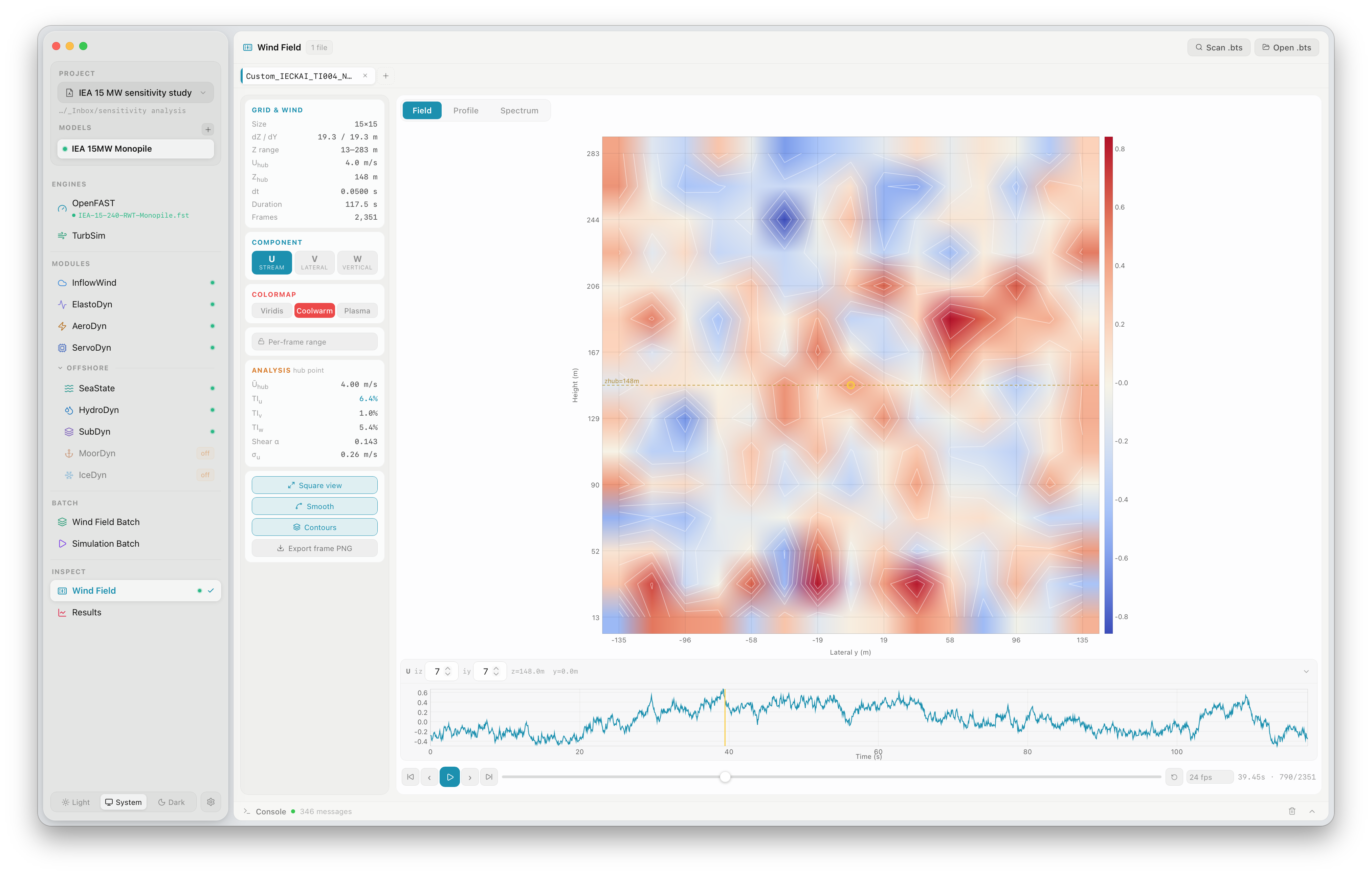
Generate wind fields

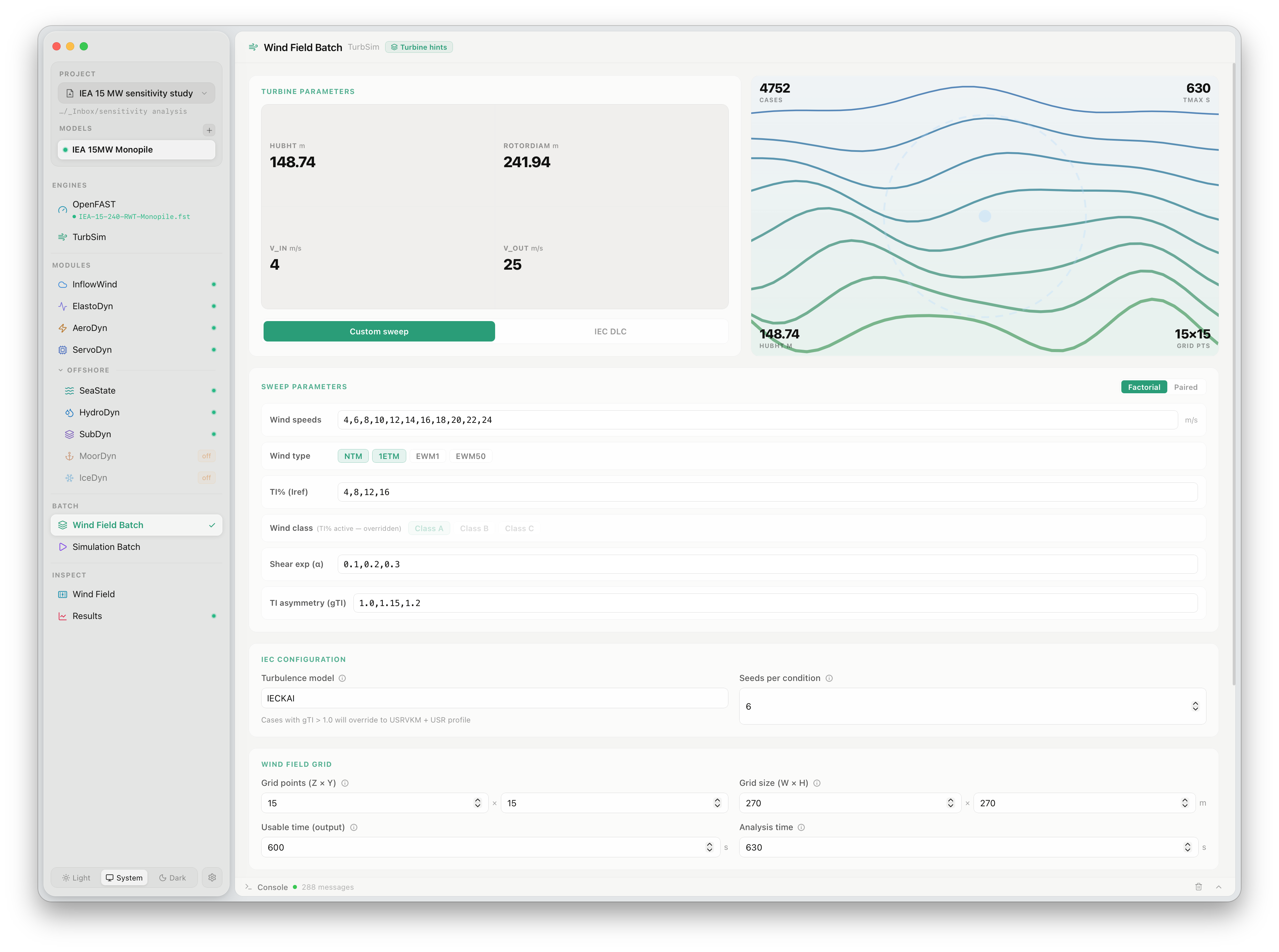
Configure TurbSim parameters — wind speed, turbulence class, shear exponent, grid resolution — and generate IEC-compliant binary wind fields. Run batch sweeps across many conditions simultaneously.

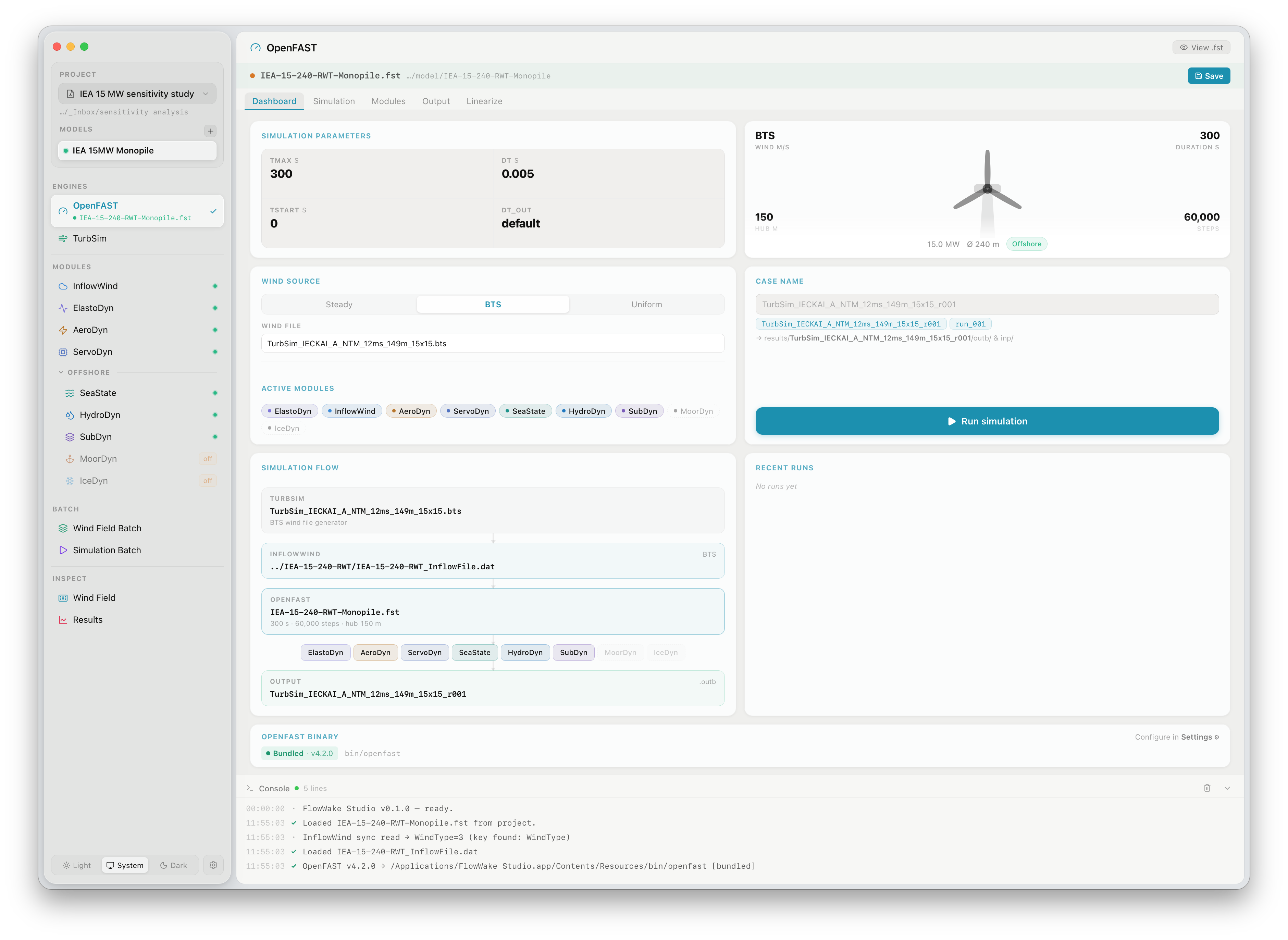
InflowWind AeroDyn ElastoDyn ServoDyn Run simulation
2

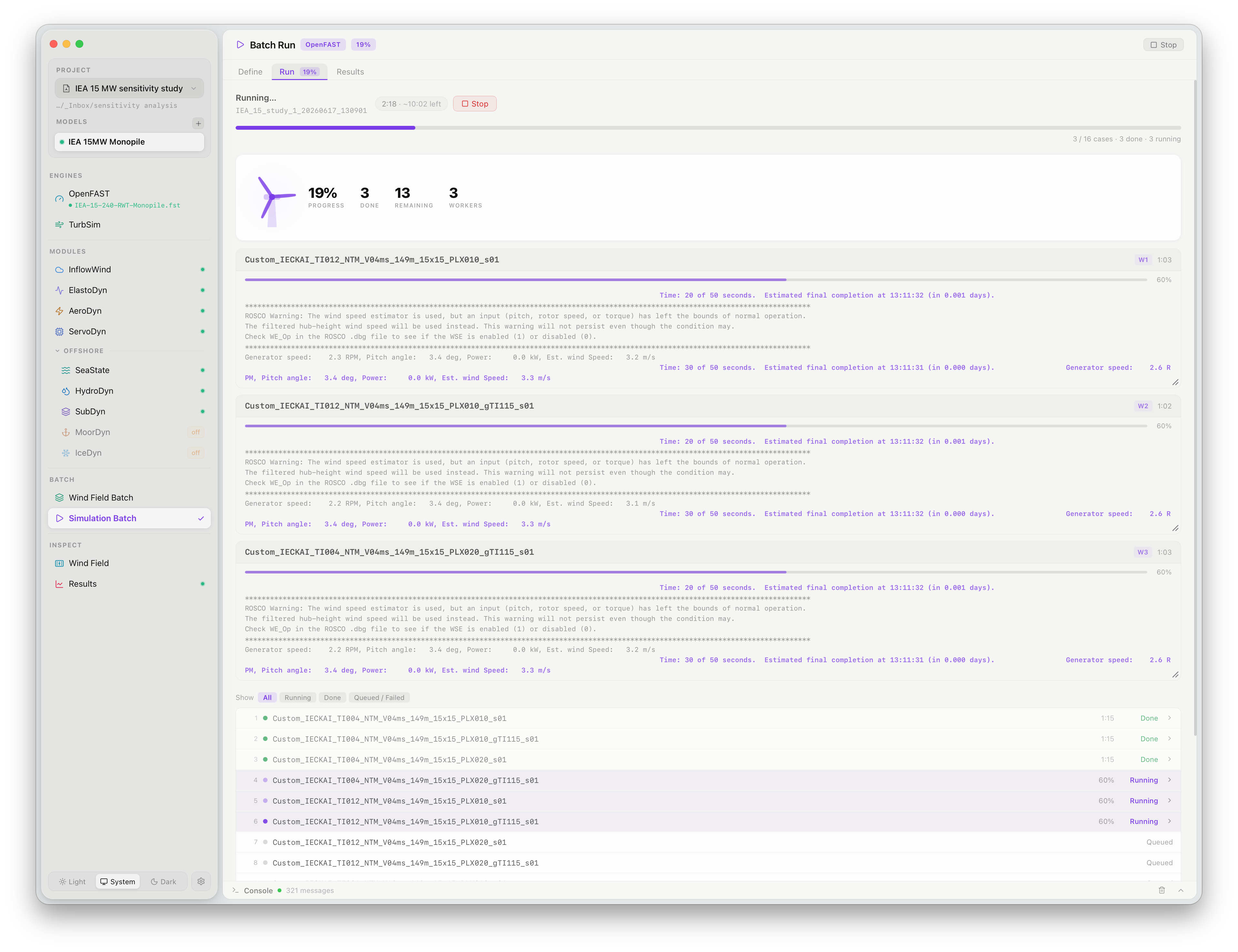
Configure & run simulations

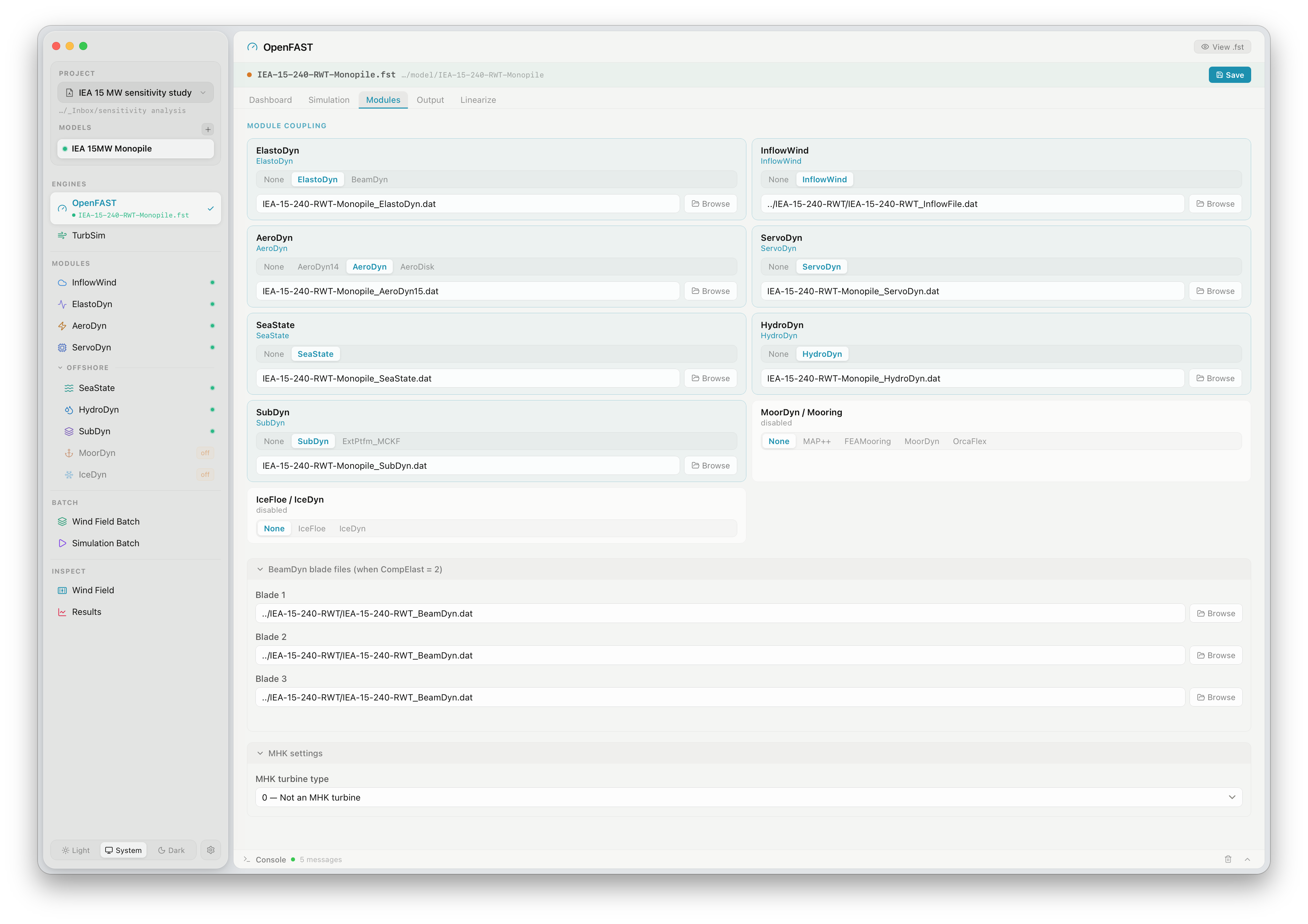
Set up OpenFAST with a guided module interface. Configure InflowWind, AeroDyn, ElastoDyn, ServoDyn, and offshore modules. Run single cases or launch a full simulation matrix in parallel.

Time (s) Load Case 1 Case 2
3

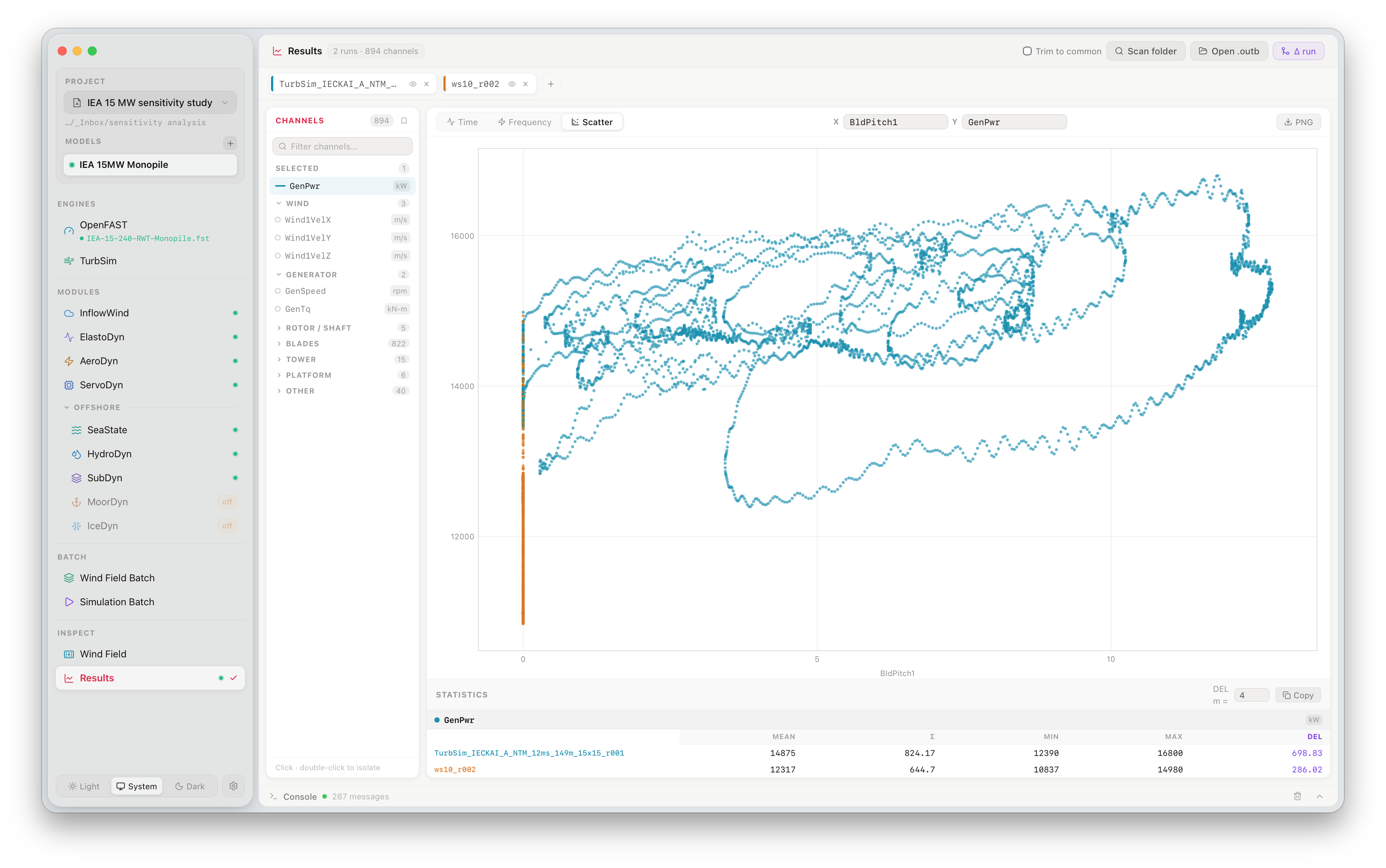
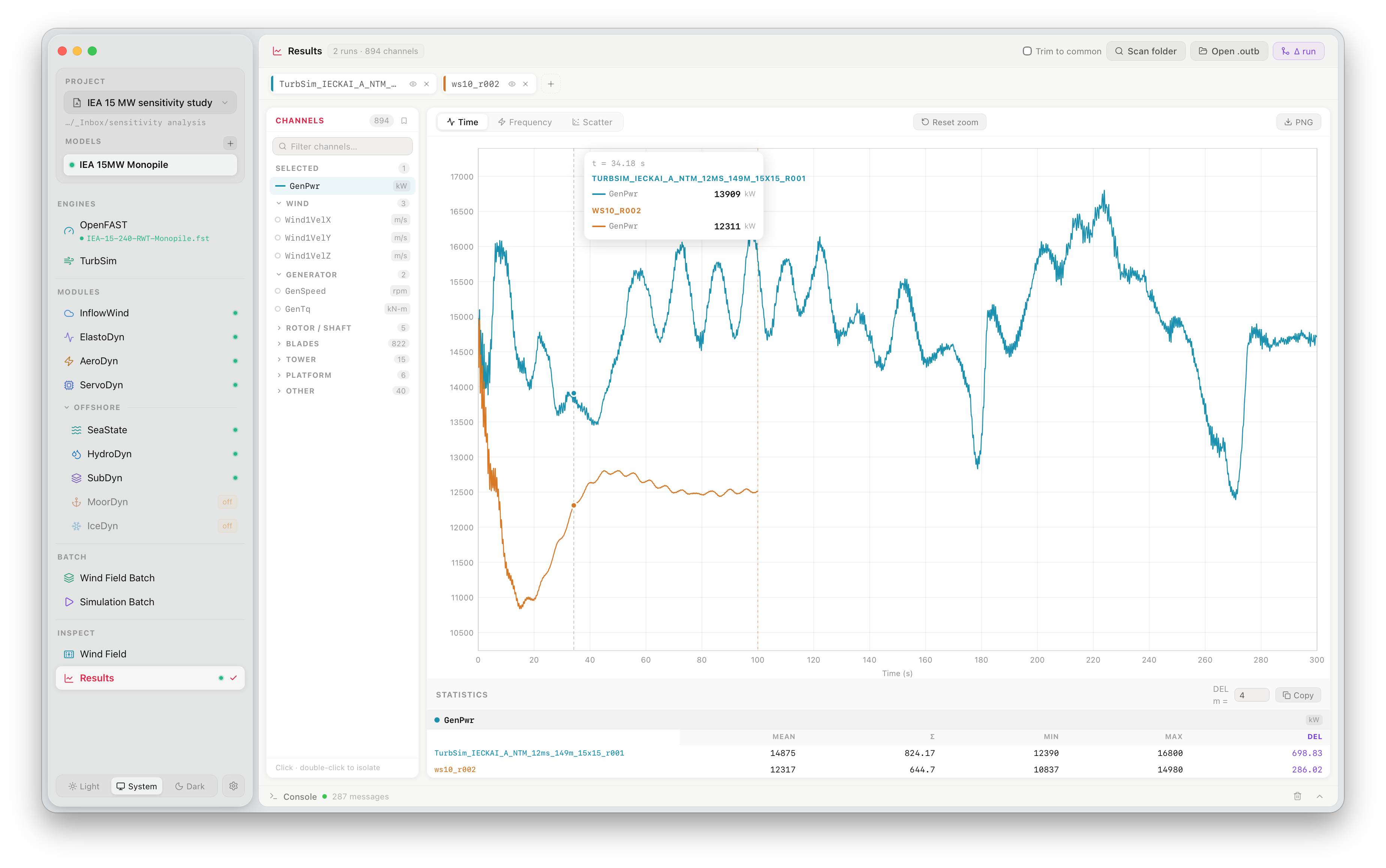
Analyse results

Load OpenFAST .outb output files, plot time series and spectra, compare cases side-by-side, and export to CSV — without leaving the app.

Features

Run OpenFAST the right way.

Everything you need to go from wind field to results — ready out of the box, with fewer errors along the way.

Bundled Reference Turbines

Includes NREL 5 MW, IEA 10 MW, 15 MW, and 22 MW reference turbine models. Start a simulation in seconds — no manual file setup required.

Fewer Setup Errors

Structured input forms validate parameters before a run starts. Bundled binaries are version-matched — no PATH configuration, no compatibility issues between OpenFAST and TurbSim.

Native on macOS & Windows

A lean native binary with bundled OpenFAST and TurbSim. Nothing to install separately — just download and run.

Advanced Turbulence Parameters

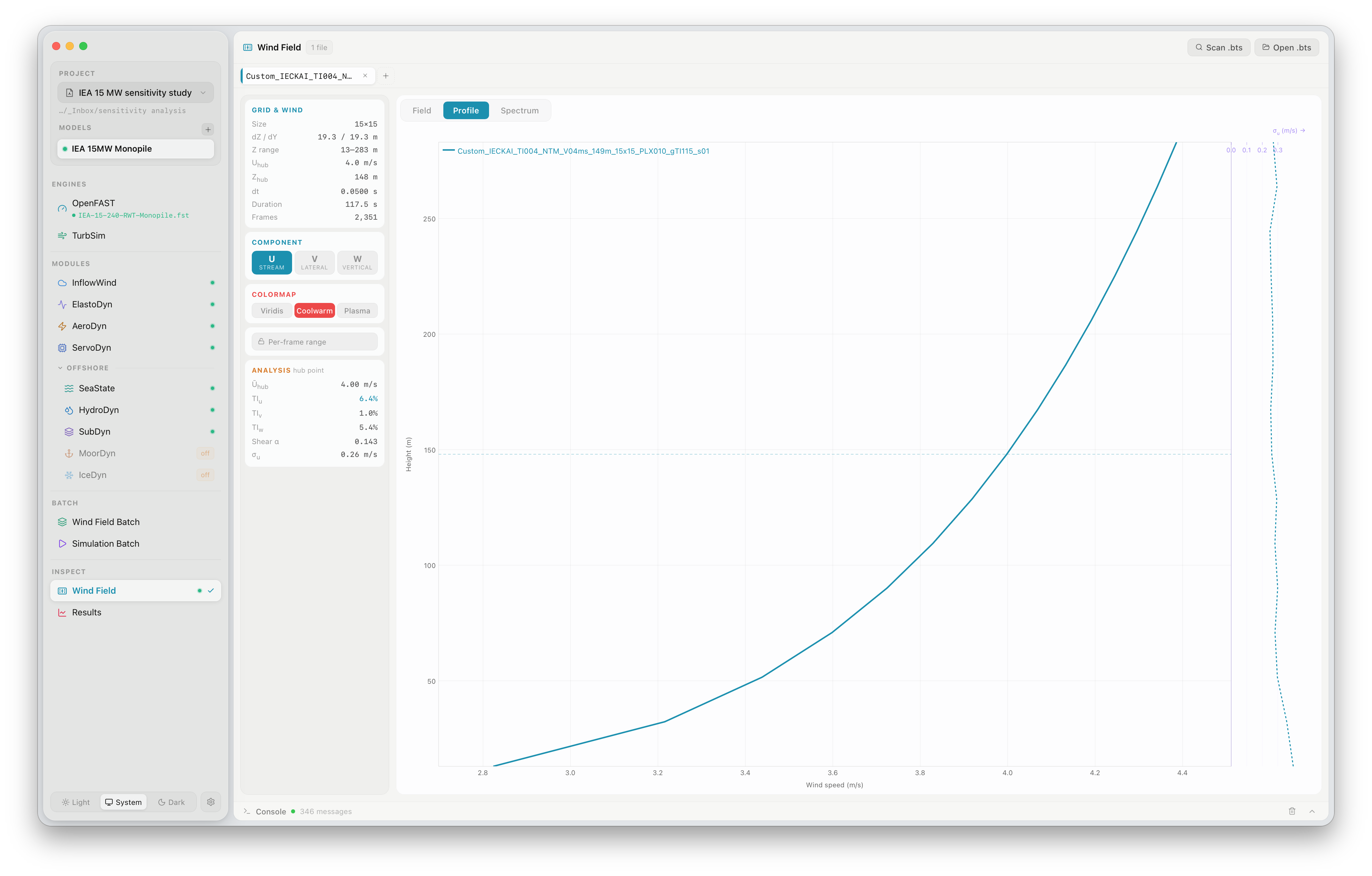
Supports gradient turbulence intensity (gTI) — a vertical σu profile across the rotor disk for more realistic atmospheric boundary layers. Learn more →

Appearance

Light and dark, both at home.

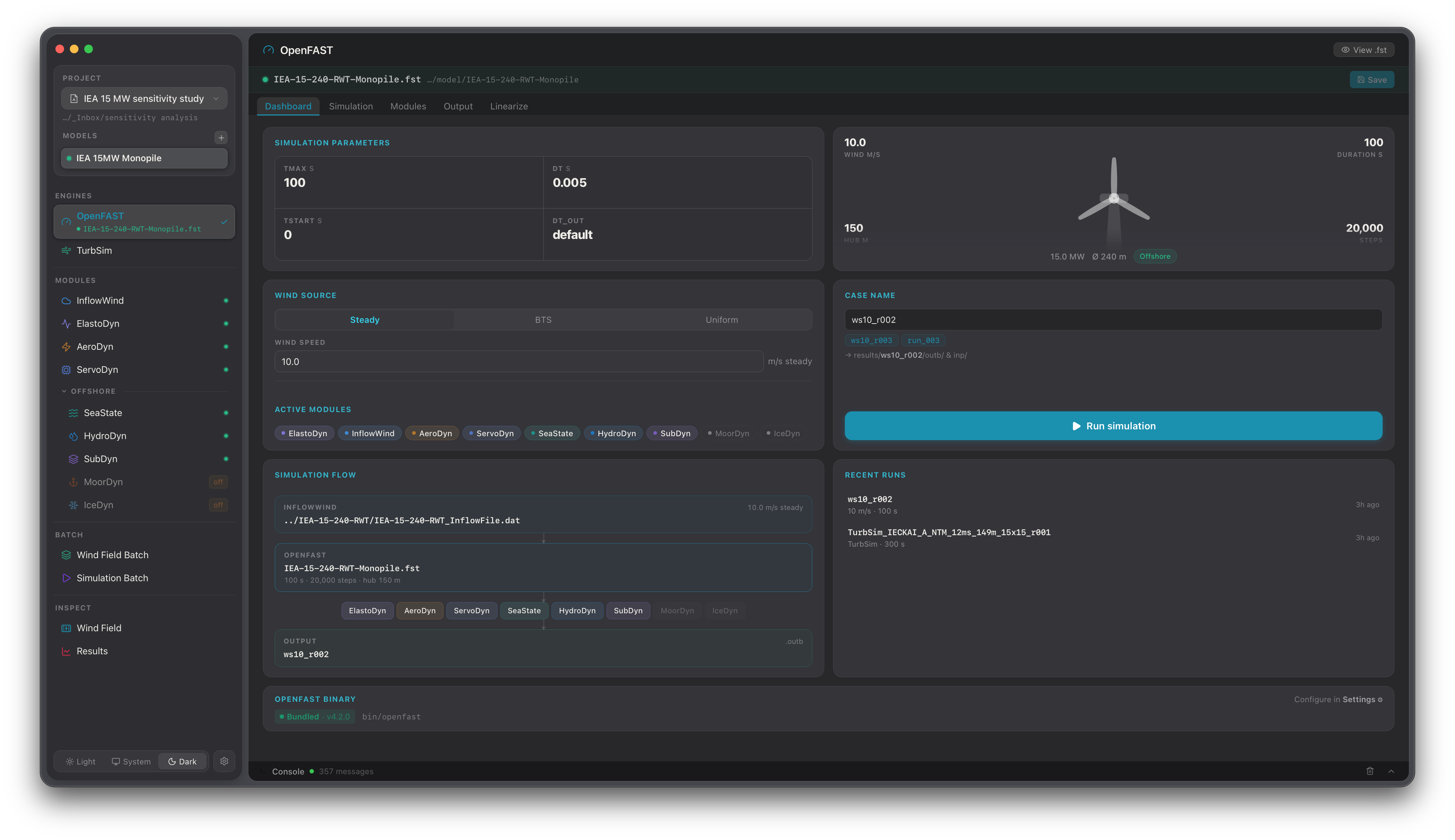
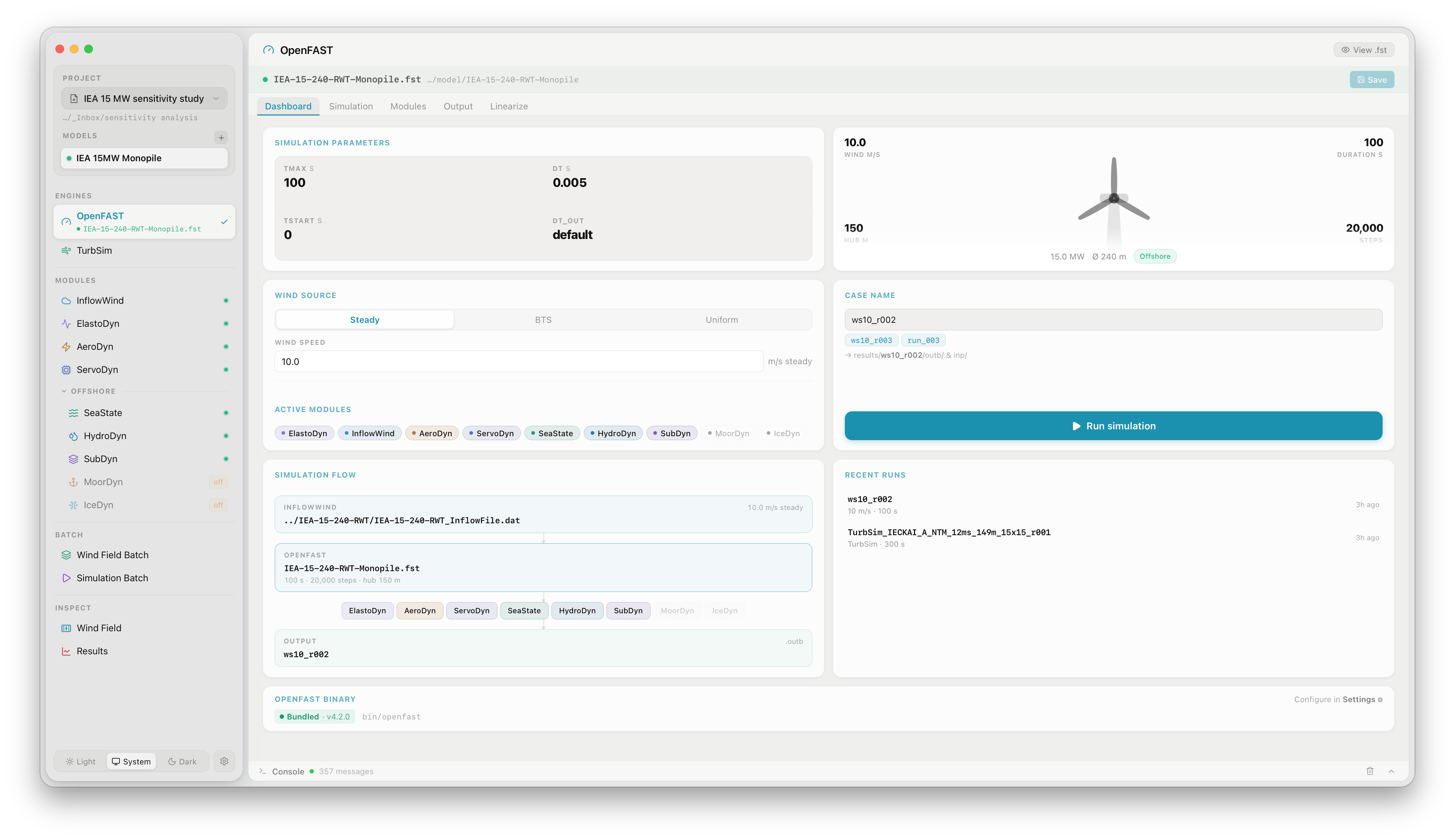
FlowUrja Studio dark mode FlowUrja Studio light mode
Light Dark
Cite

Using FlowUrja Studio in research?

If FlowUrja Studio contributed to your work, please cite the accompanying paper.

@article{kalimullah2026flowurja, title = {FlowUrja Studio: An open-source desktop application for wind turbine aeroelastic simulation using OpenFAST}, author = {Kalimullah, Nur Mahammad Mussa}, journal = {SoftwareX}, year = {2026}, note = {[in preparation]} }

Questions, bug reports, or feature ideas? Contact the developer, Dr. Nur Md. Mussa Kalimullah, directly at findmussa@gmail.com.